Report Setup
Users can setup reports by performing the following steps:
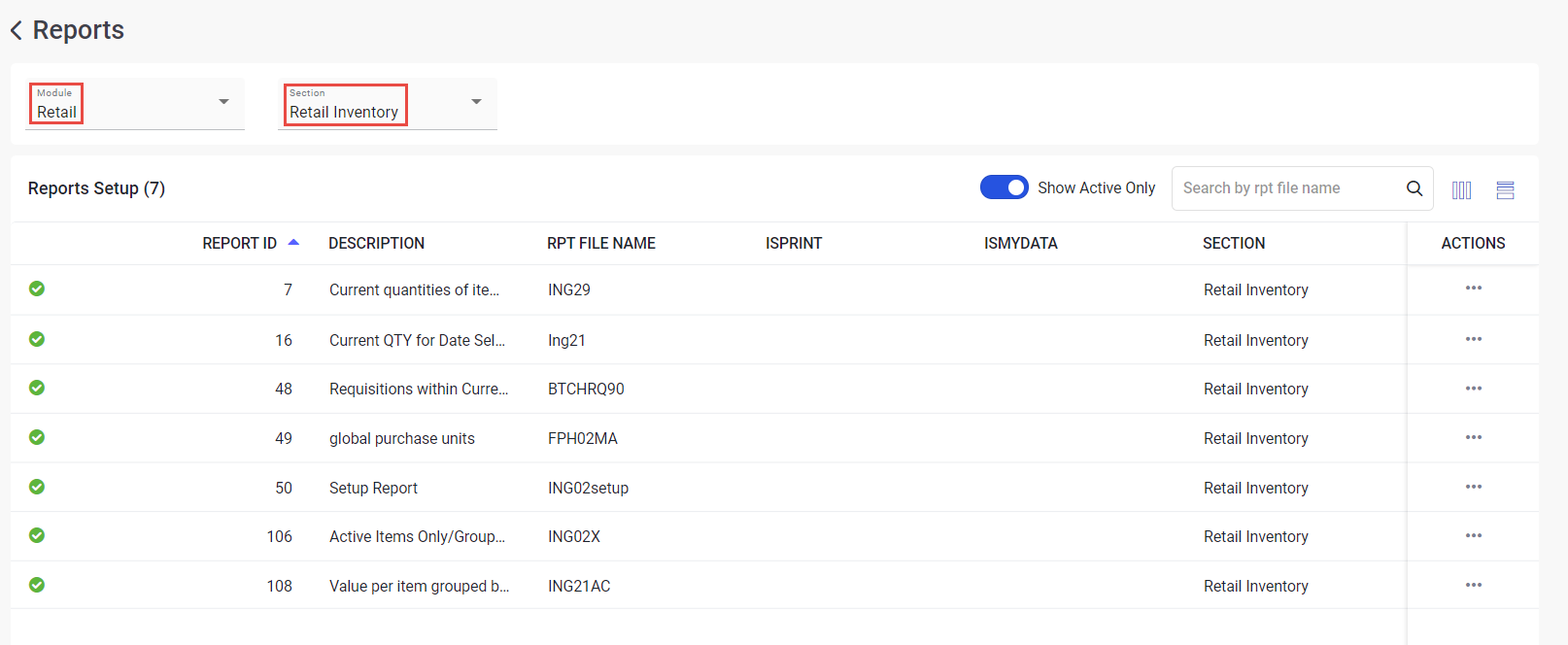
Navigate to Setup ➜ Reports ➜ Reports Setup. The Reports page appears with the list of reports.
Select the preferred module from the Module drop-down list. The modules are as follows:
-
Inventory
-
Products
-
Suppliers A/P
-
Accounting
-
Retail
Select the preferred section based on the selected module.
The options under the Section drop-down list are populated based on the module selected from the Module drop-down list.
When Inventory module is selected, the following options are displayed under the Section drop-down list:
-
Database
-
Activity
-
Purchase
When Products module is selected, the following options are populated under the Section drop-down list:
-
Database
-
Activity
When Suppliers A/P module is selected, the following options are populated under the Section drop-down list:
-
Database
-
Accounts Payable
-
Purchase Orders
-
Supplier Bids
When Accounting module is selected, the following option is populated under the Section drop-down list:
-
Activity
When Retail module is selected, the following option is populated under the Section drop-down list:
-
Retail Inventory
-
Retail Purchase
-
Retail Activity
-
Retail Products
-
Retail Sales
Sample Reports